
What is glTF?
CGI Visualization to Perfection
Danthree Studio turns complex 3D tech into high-converting marketing assets. Get high-end quality for your brand.
Discuss your projectWhat is glTF?
Definition of glTF / GLB
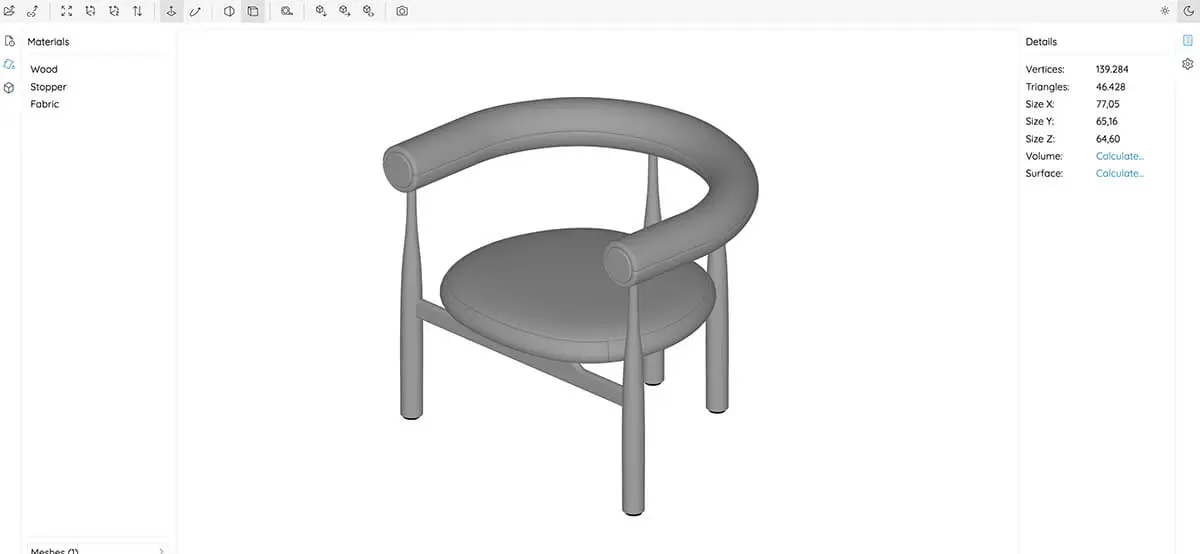
glTF (“GL Transmission Format”) is an open file format maintained by the Khronos Group that stores 3D geometry, PBR materials, and animations in lightweight JSON and binary chunks (GLB). It is often referred to as the “JPEG of 3D” because it delivers render-ready assets with minimal overhead in the browser—see our WebGL showcase —in Unreal Pixel Streaming (demo on the 3D Render Studio page), or in AR Quick-Look (examples under Augmented Reality 3D).
Why is glTF beneficial for brands?

From Technical Term to Visual Experience
We don't just use these technologies; we master them. See how we create photorealistic worlds for leading brands.
View WorkTechnical Fundamentals
- JSON + BIN – Text descriptor plus binary buffer for geometry.
- PBR Schema – Metal/Rauh Workflow as in Unreal/Unity.
- Draco Compression – optionally reduces vertex data by ~60%.
- KHR_materials_variants – a glTF extension that represents variants without duplicating assets (perfect for 3D configurators).
The technical article “glTF: Behind the Scenes of 3D Magic” —where you’ll find background information on file structure, extensions, and performance tweaks.
Real-World Comparison: glTF vs. FBX vs. USDZ
Workflow: Exporting glTF in 6 Steps
- CAD Cleanup → triangulation, hard edges, separate meshes for each variant.
- UV mapping → 0-1 space; texel density as defined in theUV mapping glossary.
- PBR Textures → Albedo, Normal, Roughness, Metalness (→ Roughness Map).
- LOD Stacks → Automatic Reduction (30%, 10%).
- Activate Export →.glb (Binary) with Draco compression.
- QA → load in the glTF Viewer & in our 3D product configurator.
Example of glTF on the Web
Quick Tips
FAQ - glTF / GLB File Format
What is the difference between glTF and GLB?
glTF is a JSON-Plus binary structure spread across multiple files, while GLB packs everything into a single binary file—ideal for CMS uploads.
What is the maximum size allowed for a GLB in a web viewer?
Richtwert: < 15 MB inkl. LODs; für Mobile Pixel-Streaming unter 8 MB.
Does Shopify support glTF?
Yes, via the Shopify Model Viewer. Example: Bosch Rexroth used a Unity → glTF → Shopify setup. (See the Unity case study.)
Can I convert FBX to glTF?
Yes—Blender, FBX2glTF-CLI, or KennyTools; check the materials, since Spec-Gloss is converted to Metal-Rough (Rough = 1-Gloss).
How do I integrate glTF into a 3D virtual showroom?
Our 3D Virtual Showroom glossary page illustrates the workflow using Three.js Loader and light probes.
How do I choose the right texture resolution for glTF models?
Guideline: 1–2 k for pure web viewers, 1 k for AR Quick Look, and up to 4 k for pixel streaming—depending on viewing distance and target device. For additional guidelines, see the official glTF spec repository under “K - Images.”
Does glTF support transparent materials such as glass or acrylic?
Yes—using the KHR_materials_transmission (refractive glass) and KHR_materials_alphaMode (for simple opacity) extensions.
Can I import physically based textures in JPEG XL or AVIF format?
glTF 2.0 accepts all MIME types; most viewers support PNG / JPEG. A fallback is currently required for AVIF & JXL (see compatibility matrix in the glTF GitHub repo under "Texture Formats").
How can I quickly test the basic compatibility of my glTF file in a browser?
Using Don McCurdy's free glTF viewer or our in-house viewer—just drag and drop, and shader errors are highlighted in red.
Can animation bones and morph targets be used at the same time?
Yes; glTF supports both types, but older web viewers do not support Morph + Skeletal at the same time—check beforehand.
Which compression workflow is better—Draco or MeshOpt?
Draco offers a higher compression ratio (~60%), but requires JavaScript decoding; MeshOpt is faster and saves ~50%. You can find a practical comparison on Keysoft (under the “Compression” section).
How do I integrate variant swaps (color, fabrics) without duplicates?
Use KHR_materials_variants: one mesh, multiple material slots, variant JSON—ideal for 3D configurators.
Can I save shader nodes (e.g., clear coat) directly in glTF?
Only through extensions like KHR_materials_clearcoat. Proprietary shader graphs must be baked into PBR maps beforehand.
What is the maximum polygon count for smooth web performance?
Up to ~100,000 triangles per asset is common in WebGL-2; for larger numbers, use LOD levels or instancing.
How do I migrate an existing FBX pipeline to glTF without losing any materials?
FBX → Blender Import → “Spec/Gloss → Metal/Rough” Converter → glTF Export with tested shader presets. You can find step-by-step instructions in the Blender glTF documentation and in the corresponding glTF-Blender-IO GitHub repository.