Table of Contents
On the brand's website, a bed is shown in a room. In an editorial product selection, it appears alongside other designs. In the retailer's listing, it must be clear which version can be ordered. The same item, three different requirements for an image.
For furniture brands, it is therefore worthwhile to consider the image’s future use as early as the image selection stage. An interior scene can serve multiple purposes. However, it does not replace every product view or every variant. The key factor is what information an image is intended to convey and what will happen to it after it is delivered.
Another factor to consider is the brand’s existing visual identity. What lighting moods, colors, and materials characterize the existing images? How close does the camera get to the product? A new collection can either continue this design approach or deliberately change it. Interior shots and neutral product shots serve different purposes; nevertheless, the versions shown and the look of their materials should complement each other.
Press, retailers and websites: what each image needs to show
For the press, the choice depends on the editorial format. A story about a collection can benefit from a staged setting. For a compilation of several chairs, on the other hand, a single product shown against a neutral background is often more suitable. Press Loft describes precisely these different roles of cutout images and staged photos. This does not result in a fixed quota for image production.
For retailers, the product presentation should match the product being offered: the upholstery, frame, dimensions, and features must be clearly identified. An overview may require a clean, uncluttered general view; the product page should include a close-up of the finish or a specific feature. The retailer’s image specifications should therefore be included in the briefing.
These guidelines may also include a minimum number of images. Wayfair’s onboarding checklist specifies at least three images per product. However, this does not answer the question of which views are needed. For example, three similar overall views do not explain how a drawer is organized.
On the company’s own website, these elements can complement one another. A large room image serves as an introduction to the collection. On the product page, additional views help users assess the design, the upholstery, or available options. For a mobile view, the product must remain recognizable even in a narrower format. Where this is not possible, a differently structured view is needed.
There is an important limitation to keep in mind regarding CGI: Not every editorial team accepts renderings. The submission guidelines for the v2com press platform also mention 3D images. ADDRESS, on the other hand, requires photographs for articles about completed residential projects and excludes renderings. Therefore, before submitting an article, you should check the specific requirements of the editorial team and the planned article. Inclusion in an image database does not guarantee publication.
SCHRAMM: The product remains visible
When it comes to a bed, bedding and pillows contribute to the atmosphere. At the same time, they can hide exactly what sets the design apart: the contour of the headboard, the thickness of the upholstered frame, or the transition between the two.
In our image series for SCHRAMM, the curve of the headboard remains visible above and to the sides of the pillows. The light-colored bedding leaves the upholstered frame exposed at the front and sides. Side lighting highlights the shape without making the cover disappear into a dark surface. The cover photo for this article shows these design choices in the context of the room.
 SCHRAMM ORIGINS COMPLETE Levina in Fabrice 3680 nature upholstery. This close-up view shows the curve and upholstery of the headboard. The cushions leave the side contours exposed. CGI: Danthree Studio. Model and fabric details: SCHRAMM.
The close-up view adds the surface to the overall image of the space. It doesn’t simply show less of the space; rather, it offers a different perspective on the product. This is a useful criterion for selecting images: an additional shot should clarify something that the existing view does not yet adequately show.
Styling can also be evaluated in this way. Are the characteristic edges still visible? Does an accessory obscure an important connection? Is the upholstery still recognizable in the intended output format? These questions link the design of a furniture visualization to its later use.
FOR: Why cropping is not enough
A crop can focus attention or make room for a headline. It does not change the camera angle or the state of a product. What lies behind a closed front remains invisible, even in a tighter crop.
The bathroom design for FOR illustrates this difference. In the room view, the sink area, bathtub, mirror, and terracotta tones are shown in relation to one another. The top view of the open drawer, on the other hand, reveals the interior layout of the cabinet. This information requires a separate image.
 This interior view shows how FOR Odivis products interact with architecture, color, and light. CGI: Danthree Studio.
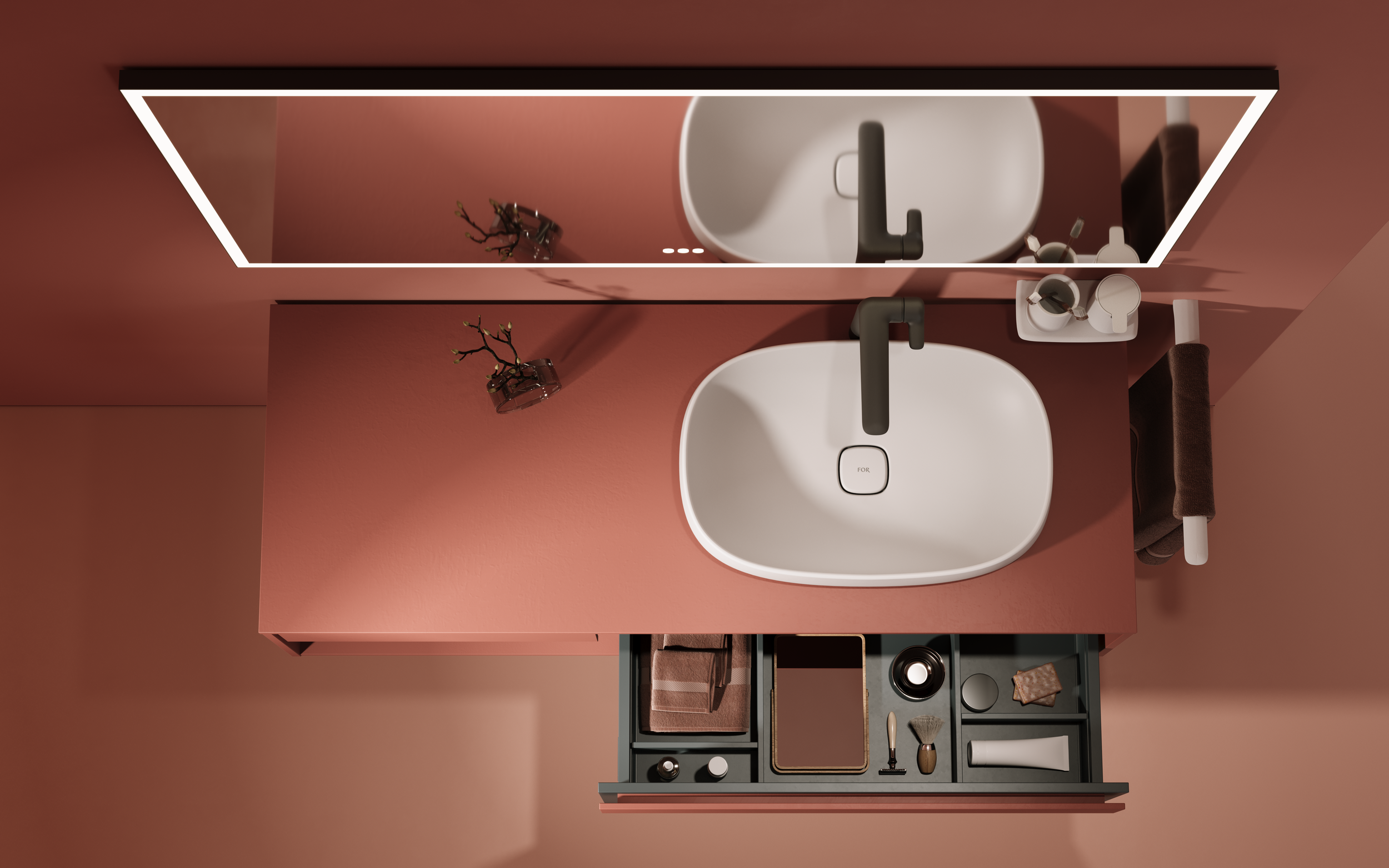 The open drawer provides additional product details. A closer-up view of the room would not show this layout. CGI: Danthree Studio.
Additional information must also match the product shown. FOR’s Odivis taps, designed by ARTEFAKT DESIGN, received the Red Dot: Best of the Best in 2024. The award applies to this tap series, not to the renderings or to all the furniture in the room. A caption should make this distinction as precisely as it identifies the product.
YOU: Make the version shown unambiguous
With variants, the challenge is different. Here, the goal is to make it clear what has changed about the same product. Our cutout images of the YOU chair for Gebrüder Thonet Vienna show a red and a green version from the same perspective. The complete outline and the neutral background remain unchanged.
YOU in two versions. Switching between the renderings shows the difference in color while maintaining the same perspective. Product design: LucidiPevere. CGI: Danthree Studio.
For a merchant listing, each file must then be assigned to the correct variant. “Green chair” is not sufficient if multiple shades of green or frames are offered. The item number and product specifications must be included with the image. Google also requires that, for product images in Merchant Center, the color, pattern, finish, and material match the variant shown.
For product shots and cutouts, it’s also important to clarify whether a white or transparent background is needed and whether a ground shadow is desired. An image on a white background does not automatically mean the file has a transparent background. Conversely, an additional detail does not replace a complete product view.
What information should accompany an image?
After the download, the person who selected the image is not necessarily the one who uses it in the layout. The most important information should therefore remain associated with the individual image:
- Product: Brand, model, or series, as well as a unique item identifier, if available.
- Version shown: Upholstery, colour or material reference, frame and special features. The combination actually visible is what matters.
- Product design: Correct attribution of the design, separate from the creation of the image.
- Image Production: the agreed-upon image credit and a statement indicating whether the image is a photograph or CGI.
- Agreed-Upon Use: the approved media and purposes, as well as, where applicable, the duration, geographic scope, or embargo. A download link alone does not define this scope.
Muuto shows how specific this information can be. The description of “Coltre Sofa Lifestyle Image” lists the sofa’s A-module, Vidar 4 386 upholstery, other products in the room and the photographer, Elisabeth Heltoft. Anyone reusing the image does not have to guess which version is shown. Muuto explicitly refers to this information in its image credits; the image can be found in the image library by searching for “Coltre”.
For storing image information, the IPTC standard distinguishes, among other fields, the creator, credit line and usage terms. These details can be embedded in the file and also supplied in a readable accompanying list. Product design and image production should remain distinct in the wording too: the person who designed the chair is not necessarily the person who created the image.
File sizes and a clear handoff
A file for the initial selection must open quickly. For a large print image, however, sufficient image data is required. On a website, what matters is an appropriate output size with good display quality and a reasonable load time. It therefore makes sense to clearly distinguish between previews, high-resolution files, and web versions.
A label such as “300 dpi” does not yet tell you the usable image size. What matters is the number of pixels and the intended print size. Press Loft lists one million pixels, approximately 1,000 × 1,000 pixels, as a minimum upload requirement. At 300 pixels per inch, an edge of that image corresponds to about 8.5 centimetres in print. Meeting an upload minimum therefore does not guarantee that an image can fill a large catalogue page.
Sample calculation for print planning at 300 pixels per inch, without upscaling
| Available image width |
Calculated print width |
| 1,000 pixels |
about 8.5 cm |
| 3,000 pixels |
25.4 cm |
| 1,500 pixels after cropping |
12.7 cm |
The calculation is as follows: pixel width divided by 300, multiplied by 2.54 centimeters per inch. If only half the width of a 3,000-pixel-wide image is used, 1,500 pixels are still available for that section. The appropriate resolution and color profile are determined in consultation with the recipient. As Adobe explains regarding the relationship between image size and resolution, changing the resolution value without resampling does not add any pixels.
ClassiCon’s image archive demonstrates how images can be clearly categorized: It offers 1,200 pixels on the long side for web and layout use, as well as 4,800 pixels or the largest possible size for high-resolution output. This is a specific delivery model, not a general size recommendation for furniture images.
For the website, the texture, fine edges, and color gradients should also be checked in the compressed version. A high-resolution source image is retained separately. The formats required depend on the specific system and intended use; a single file for all recipients is rarely the most straightforward solution.
The image in the catalog and on the product page
In a catalog, an image becomes part of a page or spread. The binding, spacing, and space allocated for product details all influence how the image is perceived. On a website, however, it appears alongside text and user interface elements and must fit within narrower screen formats. Cropping the image appropriately can help, provided that the necessary product features are retained.
The published FOR-Odivis series catalog, on page 14, provides a concrete example: Two detailed views of the bathroom furniture are shown there alongside the names of the furniture surfaces depicted. The image and the description of the finish can be interpreted together at a glance.
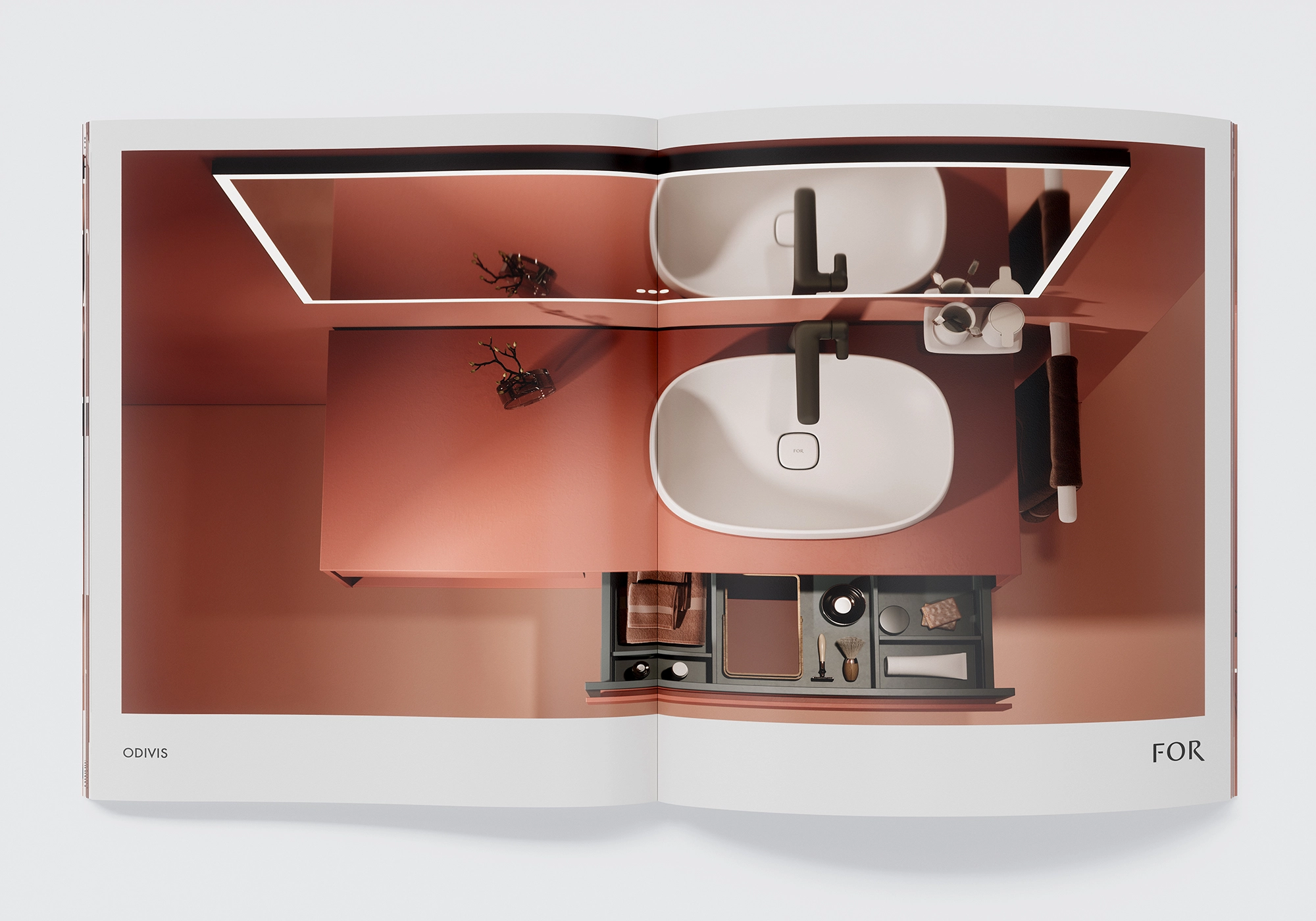 A catalogue visualization using the FOR detail shown above. The image can now be assessed in relation to the spread, gutter and product name. Catalogue visualization: Danthree Studio.
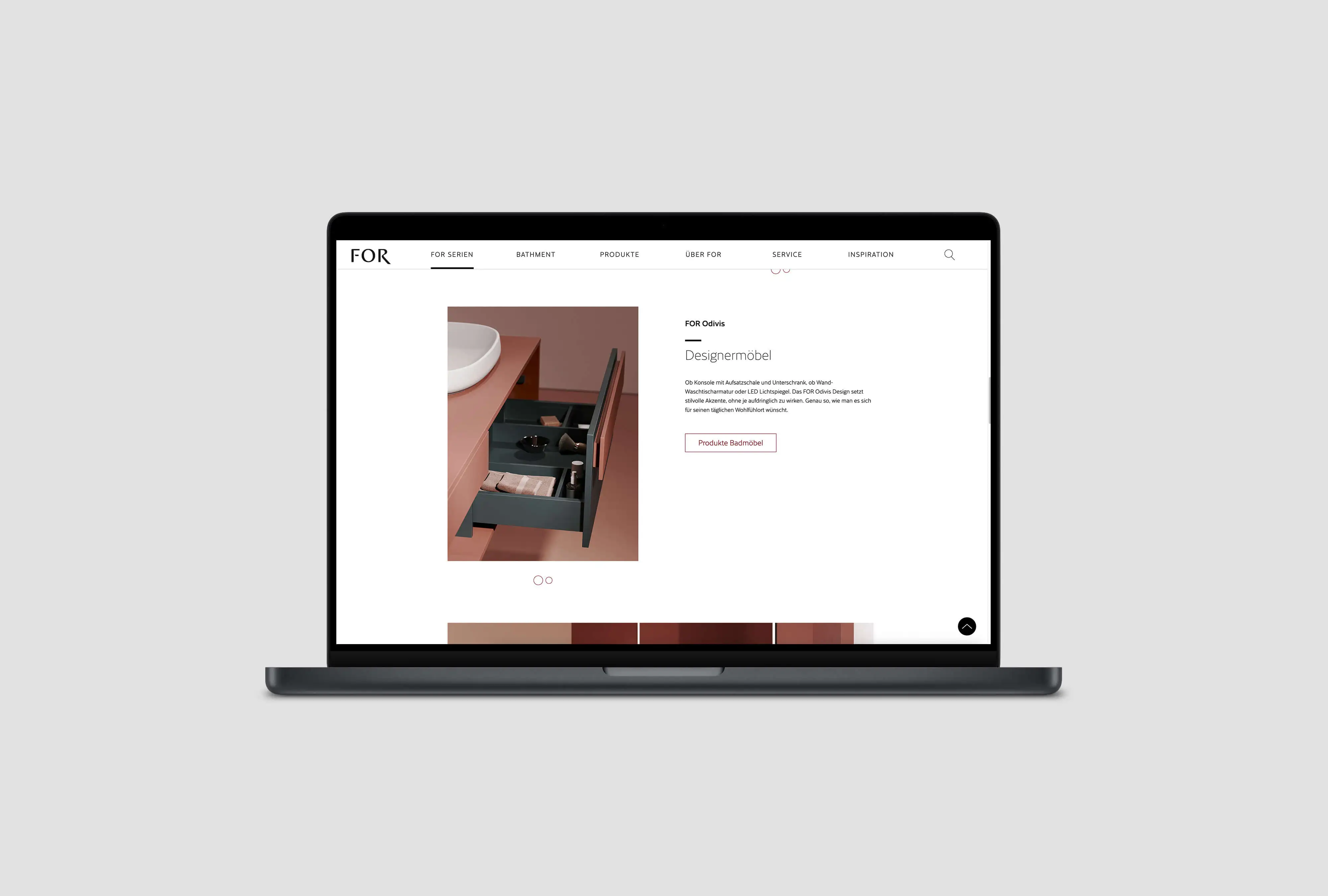 The FOR-Odivis website in a laptop visualization. Another detailed view accompanies the product description. Device visualization: Danthree Studio.
These types of applications help evaluate the selection. However, they do not replace the provision of individual image files: The editorial staff or sales team needs the actual image in a suitable format, not just a preview of the catalog or a screenshot of the website.
Open the image package from the recipient's perspective
A small, clearly labelled selection is easier to use than an unsorted folder of similar images. A direct link to the collection, separate groups for room views, cutouts and details, and captions make the selection understandable. These principles also appear in VOCAST’s descriptions of collections and image types and Prezly’s guidance on media galleries. New software is not necessarily required.
A clear file name combines the model, variant, view and output, for example “Model-UpholsteryCode-Front-Web.jpg”. Full credits and usage details belong in the image information. The delivery folder contains approved versions; earlier revisions are kept separate. If images are replaced later, a clear version reference and a note pointing to the new file help.
Finally, the image package is reviewed from the perspective of someone who is unfamiliar with the project. The download that recipients receive is ideal for this purpose:
- Product and variant: Is it clear which product is shown, with which upholstery, frame or accessory?
- Reuse: Is the individual image available, rather than just a catalog or device visualization?
- File: Can it be opened, and are the pixel dimensions sufficient for the actual intended crop?
- Information and approval: Can the product designer, image credit and agreed usage be identified from the information accompanying the downloaded image?
- Questions: Has a contact person been designated for missing variants or unclear uses?
This test is also important for professional image databases. Whether metadata is preserved in downloaded or newly created files depends, among other things, on the settings. Canto documents this for downloads, and Bynder does so for derived image files. Therefore, the visible label in an image database is not necessarily proof that the same information is included in the downloaded file.
For a collection, this leads to a practical planning task: record the subject, variant, recipient and output for each required image. Before production begins, this reveals where one view serves several purposes and where another perspective is needed. At Danthree Studio, this coordination is part of visual concept development.
Our article, “From Product to Visual World,” describes how these guidelines give rise to models, materials, and detailed designs.


